

Related Posts
best drama stories

New Pup on the way to home!




Additional Posts in Excel Genius

Visual Storyteller

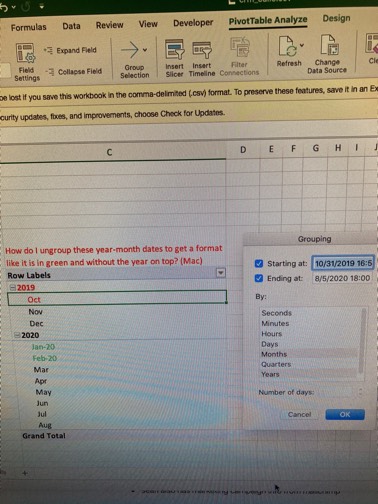
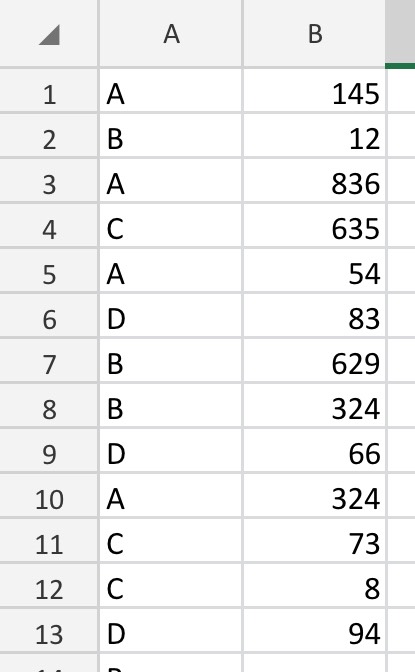
Still don't have xlookup. #fomo

Would anyone be willing to teach me vlookup?
New to Fishbowl?
Download the Fishbowl app to
unlock all discussions on Fishbowl.
unlock all discussions on Fishbowl.


To select rows quickly in Microsoft Access, especially when dealing with a large number of rows like you are, the process can be a bit different from Excel's Control + Shift + [Arrow] shortcut, primarily because Access is a database management system and handles data differently than Excel, which is a spreadsheet application.
For large datasets in Access, you might not typically delete rows directly in the table view as you would in Excel. However, if you are in a form or datasheet view and looking to select multiple rows for deletion, here's a method you can use, albeit it might not be as swift as Excel's shortcut:
1. **Go to the first row you want to delete**: Navigate to the leftmost part of the row (usually the record selector area, which might display as a gray bar or box to the left of the row) and click to select the first row you wish to delete.
2. **Use the Scroll Bar**: Drag the scroll bar down to the last row you wish to delete. This isn't as fast as Excel's Control + Shift + [Arrow] but is necessary in Access due to its interface.
3. **Shift-Click for Range Selection**: Hold down the `Shift` key on your keyboard, then click on the last row you want to delete. This action selects all rows between your first and last clicks, inclusive.
For a more efficient way to delete large numbers of rows, especially when dealing with hundreds of thousands of records, consider using SQL queries within Access. For example, if you need to delete specific rows based on certain criteria, you can run a delete query:
```sql
DELETE FROM tableName WHERE condition;
```
Be cautious with delete queries, as they will permanently remove data. Always make sure to backup your database before performing mass deletions.
If you are looking to delete all rows from a table without deleting the table itself, you could use a simple SQL command like:
```sql
DELETE FROM tableName;
```
This command deletes all rows in `tableName` but keeps the table structure intact.
Remember, working directly with SQL commands allows for more precision and can handle larger data volumes more efficiently than manual selection and deletion through the UI.
Don’t thank me, thank ChatGPT
20$ keeps disappearing on the first of every month so I hope it’s the paid version
It’s Access, just write a query to delete the rows…
Delete from table
To everyone who suggests I simply write a delete query … do you honestly get the impression that I even knew Microsoft Access existed before yesterday? I obviously have never even seen a .accdb file before in my life - what are the chances I can just whip out a delete query without any instructions on how to do so?
I tried ChatGPT - it just kept telling me to do Control + Shift + [Arrow]. I only came here as a last ditch effort.
Why not just write a delete query