


Related Posts
Someone has joined the DARK side 😀


Is it possible for a vet tech to make 6 figures?
Where is GME going today?




Rising Star


Additional Posts in Excel Genius

Visual Storyteller
Would anyone be willing to teach me vlookup?
New to Fishbowl?
Download the Fishbowl app to
unlock all discussions on Fishbowl.
unlock all discussions on Fishbowl.


Do the work in Power Query
Used power query. Worked perfectly once i got the hang of it! Will definitely be using this in the future. You saved the day, thank you!
You can add a column with an if then formula that says “if the cell in this column of this row is equal to the cell above (before) it, give me an asterisk, otherwise blank. Copy that all the way down to the bottom row, Then use [cut/paste special/paste values] for the whole column. You can now use that column to sort and/or filter out the duplicate rows by copying it into another column and changing the cell addresses being compared.
You can use this method to compare multiple columns in the same row to to ensure it’s truly a duplicate. For example if you want to find and mark only rows where 3 different cells match those immediately above them, you can do 3 different columns with this formula and apply filters, or even better just use the concatenation function to create a new column consisting of all 3 cells combined into one text string and then copy/paste special/values to make it sortable/filterable.
HMU if you want to dive deeper lol
Use R
Alteryx. I had 0 knowledge of how to use it and built a workflow that did exactly what you described in 2 days. I googled “alteryx equivalent of X in excel” and it wasn’t too complicated after understanding basic Alteryx UI
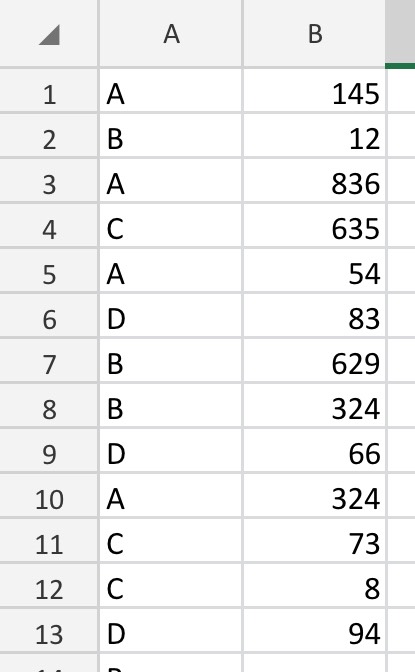
Why won’t “remove duplicates” with all three fields checked worked? Under the Data tab. May churn for a min or two but should work.
You can probably use conditional formatting to highlight those rows in a color than filter by color to see only those rows.
Do it on a more powerful computer
If it’s not super sensitive data, google sheets might be your friend here.
Can you use remove duplicates? Alt A C
Need a bit of logic to determine which is the correct record. Hence why I want to isolate them first.
Can you just add an if / and formula (if a=b and b=c) to a new column and filter on that?
Concatenate them and do a countif to see which rows appear more than once.
If the sheet crashes paste values of the concatenation before the countif.
Use Alteryx or Access honestly
Locally run access databases make me cry
Another vote for Alteryx. Or Knime.
I have run 100k data in Power Query and it has been fine for me. I don’t know if it’s possible but maybe you include massive amount of null rows? Maybe filter out null rows first then try again. Tableau Prep allow you to use for free for 14 days. It works great and really easy to get familiar with.
Echo alteryx. It is honestly ridiculous how capable alteryx is with massive datasets. They even have a handful of tools designed to work with datasets 100m records and up. This would be incredibly easy in alteryx (couple tools)