

Related Posts

Hi Fishes, Sometime back I was interviewed for Technical Support Job role in my domain. T1 went well. T2, in my understanding was better only (not great like T1 but not blunder. I felt it was nice and i replied majority of questions). They released the feedback after 10 days with "Not Positive". I am not totally sure with feedback as I replied majority of questions correct. I am being bit curious with "Microsoft" tag. What can be the reason?
Discussion appreciated.
Microsoft



Conversation Starter
Additional Posts in Excel Genius

Everyone: Excel is a smart app
Excel:


Would anyone be willing to teach me vlookup?

Visual Storyteller
New to Fishbowl?
Download the Fishbowl app to
unlock all discussions on Fishbowl.
unlock all discussions on Fishbowl.


just do a ctrl + “~”
you’ll see the cells change to show the formulas if they have it.
This is super inefficient for checking 10,000 rows of data 😂
Subject Expert
3 ways (on top of my head)
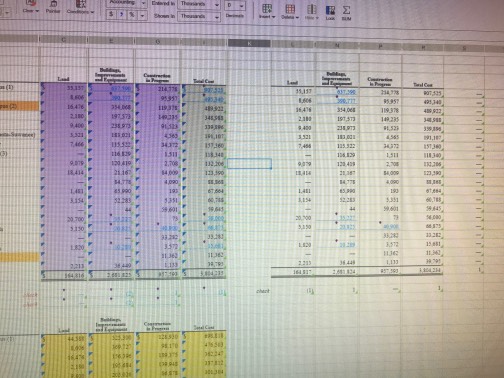
1 - use =ISFORMULA() in the adjacent column, if there is a FALSE (or more), it means that the reference was hardcoded*
2 - go to Find and Select -> go to special -> check for constants (or formulas)*
3 - Go to Formulas in the tab bar, click "Show Formulas" and you can see on the Excel itself the formula (remember to turn it off after)
* 1 and 2 have the limitation of seeing an operation (like 2*3) as a formula instead of a constant
Re-write the formula and replace for entire column. We often try to find a problem but could instead just apply the solution.
Go to conditional formatting "use formula" option. Highlight cell if =not(isformula(F2)). Then apply it to your whole range. The cells that are hard-keyed will highlight with the formatting you choose.
F2 was a just a cell example fyi.
Can then sort by color to bring the non formulas to the top
If you want the whole column to contain your formula you could just carry it down from the first cell by double clicking on the + symbol when you hover on the bottom right corner of the cell. Or you could copy the first cell in the column and ctrl + shift + down arrow to highlight every populated cell below and paste
If you want to find and replace hard coding, ctrl F (find), search for $, make sure you select search formulas, replace with nothing.
Ctl+' or search "formula auditing mode"