

Related Posts

I’m white.. and a man. Shhh, don’t tell anyone.



Rising Star
Extremely Disappointed with hikes!

Subject Expert

Conversation Starter
Additional Posts in Excel Genius


Visual Storyteller
Would anyone be willing to teach me vlookup?

New to Fishbowl?
Download the Fishbowl app to
unlock all discussions on Fishbowl.
unlock all discussions on Fishbowl.


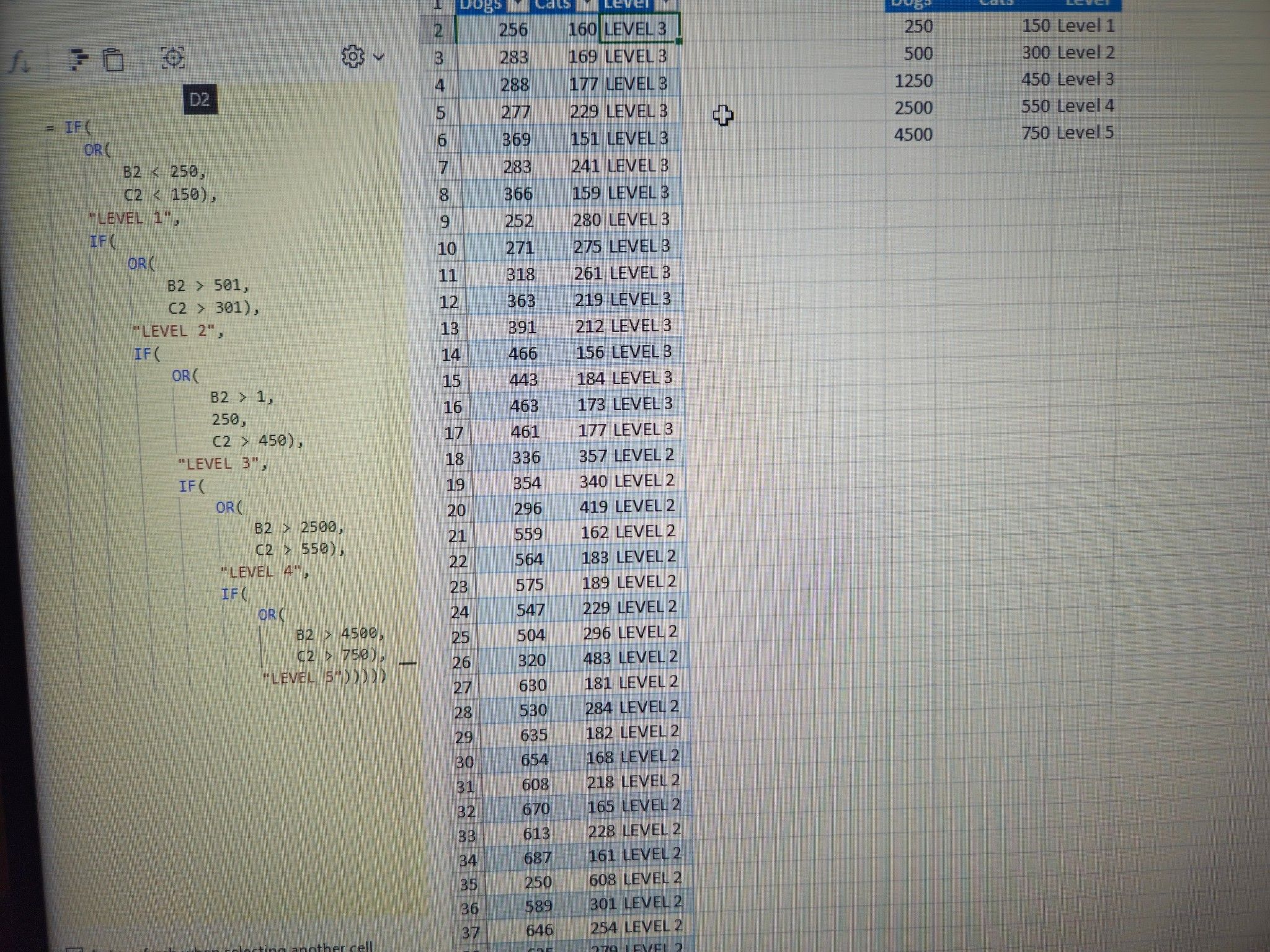
The third IF has an unnecessary comma for 1250 making the formula “B2 > 1” instead of “B2 > 1250”
Reverse the order of the formula L5 first & L1 last
What?!!!! You can do that with a formula bar?!!!
I would use a match formula instead. This way if you add rows to the rules or need to change the rules table you don't need to update the formulas
Ok, I haven't don't that before. I'll have I look into that formula. TY
Use the SWITCH formula
PwC caught it first. Level 3 has a stray comma
Would an IFS with an OR be easier?
Actually strike that, I see what you’re doing here now. What you have already is probably the cleanest way to handle that.
The first formula (level 1) is set to B2<250 and C2<150 - that should be B2>250 and C2>150. Also, as someone else said, level 3 shows B2>1, 250 instead of 1250.
Thank you all for your help!! Here is the formula that got it to work.
Can you please tell us what plugin/option you have to have your formula bar on the left with tab-spacing and highlighting (like a code editor/IDE)