

Related Posts



The accuracy 😂😅




Bowl Leader
Hiring for an early stage Venture Capital for Bangalore location.
Candidates meeting below criteria may connect with me at nikitayadav@michaelpage.co.in
1. Candidates with excellent education pedigree (MBA Graduates from 2018/2019/2020 batches only)
2. Non-engineering background preferred
3. 1-2 years of post MBA experience in investment banking (tech focused) or start ups (product/ strategy/ CEO's office roles)

Community Builder
Just came from a salatul janazah.. 😢 😔 😞
Hi,
In tcs my joining date is passed still not received onboarding link.
Is it normal there because been 4 days delay still they are not giving any update.
It’s kinda hectic to call every time to recruiter and get back with the same answer like work in process.
Should I even expect the joining date?
Let me know if anyone faced that kind of situation before. Tata Consultancy even onboarding manger is not giving Reply’s to my. Mails
Bowl Leader
Additional Posts in Excel Genius

Still don't have xlookup. #fomo

Visual Storyteller
New to Fishbowl?
unlock all discussions on Fishbowl.


Quick fix is just assign 1 for yes, 0 for no, then count if. I know that’s not exactly what you’re looking for but might be the easiest if the function isn’t working for some reason
That worked but I really wanted to have the yes no and not the 0,1. Guess this will work for now. Thanks for the suggestion
Do you have any extraneous spaces in the range cells?
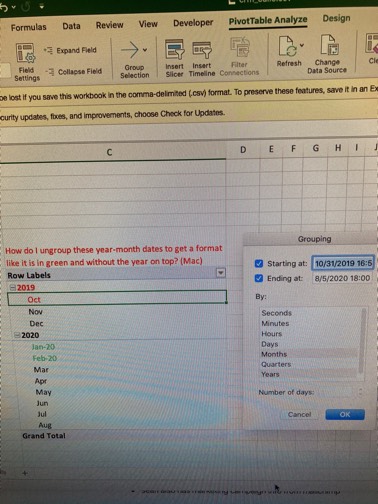
Pivot table
On the Formulas tab, in the Calculation group, click Calculation Options, and then click Automatic
It worked on my co-workers computer so I’m going to call my IT dept to see if they need to reinstall Microsoft on my computer.
Thanks everyone
Mentor
Can you post a pic (with dummy data, this is a public forum)?
Regardless, do you want to count THE CELLS THAT ONLY have “yes” on them, or THE CELLS THAT contain “yes” on them? (If the cell has “yes ma’am” should be counted?)
I have yes and no in the column. I only want to count the yes’s
Mentor
So, it should be as simple as =COUNTIFS(range,"yes")
Where "range" refers to the reference where the cells are (e.g.; A1:A100)
You can also use =COUNTIF()
I have that and I keep getting a “0” as the total. It isn’t counting my “yes” in the column.
Why not do find and select, go ti special, blanks, and then select the blanks?
No I just checked and retyped it to make sure. Still comes up zero
From your picture, I think your countif formula "yes**", there is a space where the stars are
Does clicking save do the magic? Sometimes formula could be turned off
Can you add a filter to the top, only filter the yes's, and then see how many are in that column by highlighting it and seeing your total count, minus the header line? I'm new to excel but that works for me.
Replace ”Yes“ by A32
It doesn’t look like you’re doing anything wrong. Is there anything weird with your formatting of the text? Does it work if you create a reference cell instead of typing the “yes” in your formula?
Create a pivot table, then use the count from the pivot table (but super weird everything you have already tried doesn’t work)