

Related Posts

Anyone up for a drink later today?

Favorite national park to visit in July/August?

Bowl Leader
Additional Posts in Excel Genius


Visual Storyteller


New to Fishbowl?
Download the Fishbowl app to
unlock all discussions on Fishbowl.
unlock all discussions on Fishbowl.


Calculate daily rates and use number of days in each period
Try this.
The excel just fins the difference and do not consider the last date. I came to this from you pointing out. It does 31-1 =30 instead of counting it as 31 days
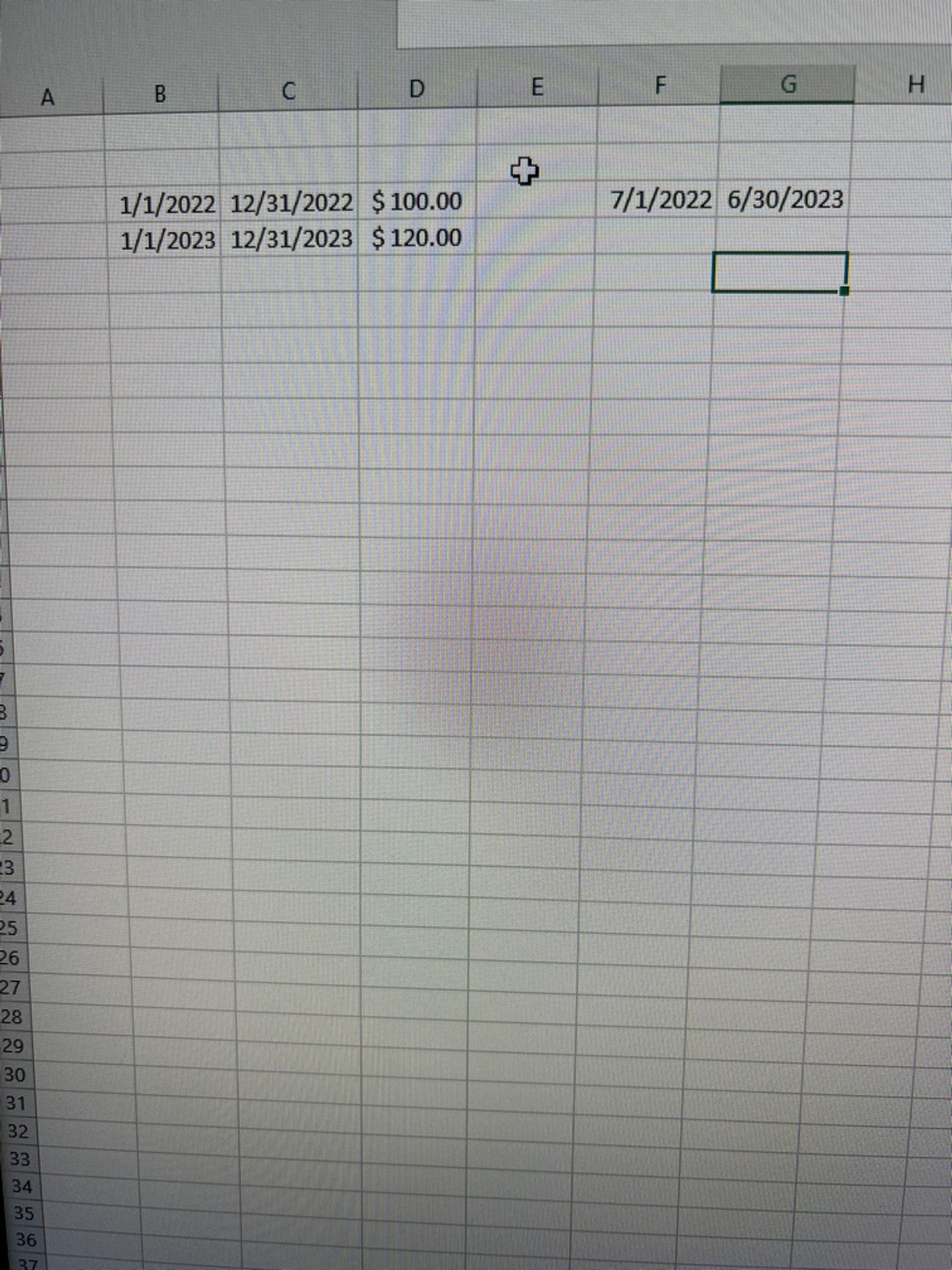
I’d set some assumptions like start and end dates (Jan1’23 & Dec31’23) for each pricing period, an easy rate ($120), and daily rate ($120/365)
Then have an entry for start and end dates for the subject row
Then use series of IFs to spot if the start and end dates fall within a single period, and calculate the number of days in each period so you can multiply by the appropriate daily rate
This way you can simply enter the start and end dates to produce an output that follows all your rules. Want a formula for your example?
Use an additional tab where you track weeks, and percentage of the week in a month (meaning how many days of that week fall in a single month, so you have a proper split for weeks that fall in between 2 months). Add the dates in the tab shown, and have it cross reference to the percentages and the rate to apply
No it’s actually the same thing in my opinion. You would use 365 days, I would use 52 weeks and a percentage (which mimics the 365). I still believe having a calendar-like schedule is the easiest option, also for double checks, but again I’m used to this method so I can build it in a minute even if it’s longer 😂
So here’s one way you could do it that is fairly simple. I don’t think this is exactly what you’re looking for however because it’s based on actual/actual annual proration, which is just not commonly used and is going to give you odd cutoffs. In your example, you gave a start/end date that would have calculated $110, whereas this calculates to $109.92. Doing it this way also allows you to span multiple years if you want.
The better way to do it unfortunately makes the formula more complicated (at least if you choose to compact the function into a single cell). I’m assuming you’ll want to use the standard US 30/360 method. In order to keep the ability to span multiple years and have you able to dynamically enter whatever start/end date you want, here’s one solution that does that. This should now match your example to calculate the $110
I caught an issue with the first formula, but I think I’ve corrected it now and provided more scenarios to check the calculation.