

Related Posts


Enthusiast

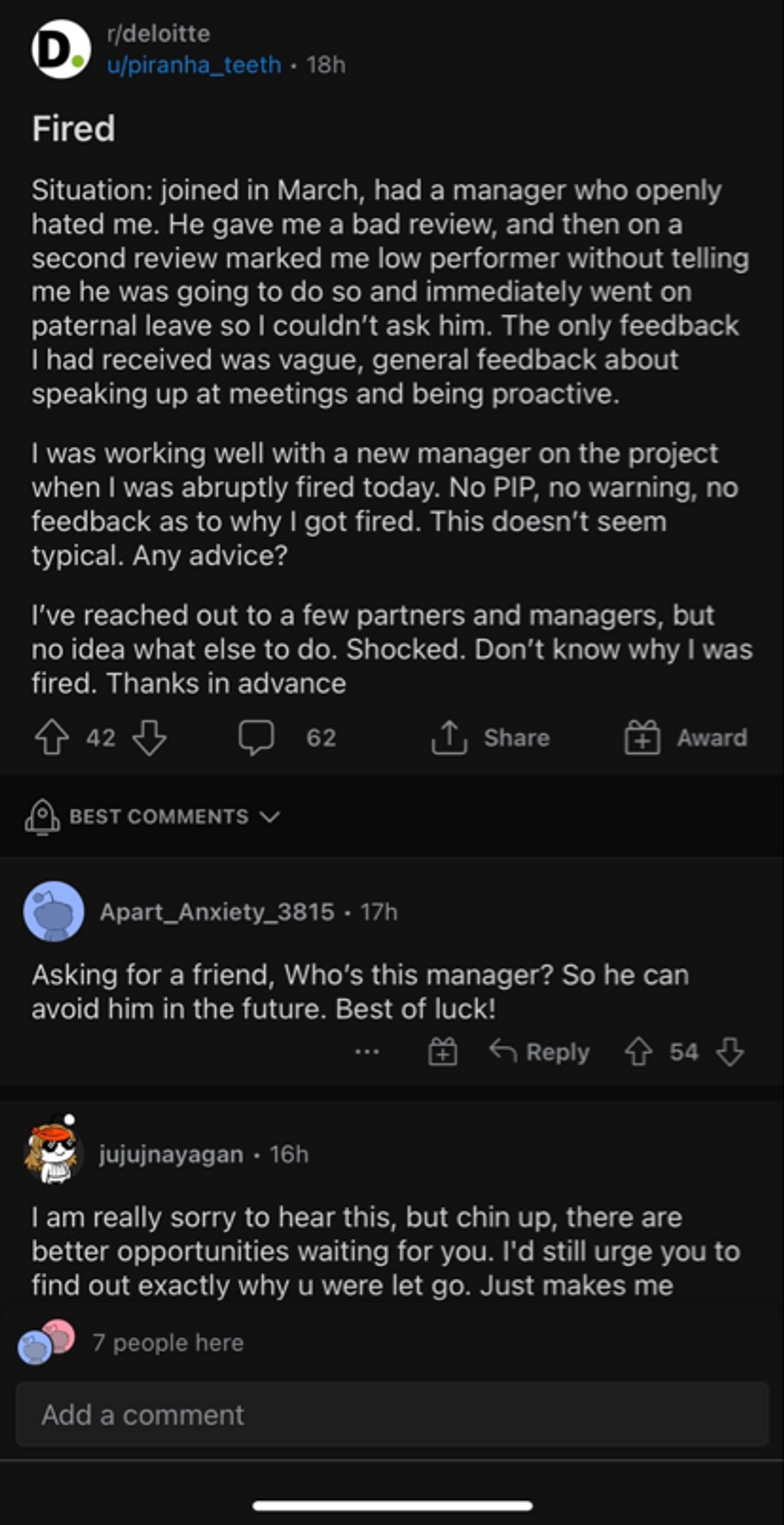
I was in the final stages of an interview with Microsoft two weeks ago, in partner marketing. Then the recruiter told me they were putting the hiring process on hold to assess the need for the role. Well, then we heard about Microsoft layoffs last week. Seems like most were in Xbox and Project Alpha but there’s not a lot of information out there. Should I hold out any hope that I’m going to get this job? Any insights on how much these layoffs have impacted the marketing org and/or new hiring?

More Posts
Anyone Boston next week?
Believe in ones self



@wipro
Tata Consultancy
Hey guys, Since I am working in Deloitte and right now, I am working from home. I want to go Nepal for 2 months and I want to work from there. Do I need to tell my manager or simply I can go there and start my work. Is there any obligation?
Note- I don't want to tell anyone. Since it may backfire sometimes
Additional Posts in Law
How do you wind down after a rough day?

New to Fishbowl?
unlock all discussions on Fishbowl.


1) print
2) go to a visually isolated environment. This could be a clean desk with nothing on it that you can see (no visual distractions) or a different room entirely
3) turn off or use an app blocker app on your personal phone.
4) proofread the entire thing in one sitting with no interruptions. That means no screens of any kind. This assumes the doc is short enough that you can do that without annoying a senior/client etc for being unresponsive. If it’s longer, then break it up into segments each as long as possible
5) proofread with a pen. I recommend blue or another color gel ink because it pops off the page (no risk of marking an edit then missing it when you get back to your computer). Eventually you will develop a system for doing this efficiently. I number my changes, then write the numbers at the bottom of the page and tick them off as I implement the changes in the doc.
6) do not start making changes to a Word doc until your proofreading is complete.
7) if you have time, try to put it away for at least 24 hours before doing your next review. A lot of missed on your initial edits/proofing happen because your brain is familiar with the work product and automatically skips review steps. This problem goes away after a day or ideally a weekend.
8) optional for further effectiveness: the font change and read out loud tips above or good. And you can iteratively repeat the process.
This isn’t foolproof (nothing is) but it’s effective. You may find that your attention to detail increases after you’ve been proofing for ~10 minutes; for me at least, task shifting from multitasking to proofing takes a few minutes to before my focus locks in.
I find it helpful to print, and then walk around my office while reading it out loud.
If I have time, I’ll ask my secretary to read it out loud and I listen.
Printing it off to read it or using the read aloud function or word both work well for me.
One thing I’ve said before—change the font. You’ll be amazed at what you’ll catch if, say, you switch everything to courier new just to edit it. (I assume your final product isn’t in courier new).
Good idea, I’m going to give this a try
AI is baller at this. I have a similar weakness.
Print print print! And like use a pen to read each word, you’ll get better I struggle with this too you just have to treat it super seriously!
Pro
A couple things that help me edit is looking at a document on a different computer in a different room. Or printing the document and looking at it upside down lol I'm serious
Pro
Yeah the upside down I figured out when I turned a document towards a client for signature and immediately saw a mistake... so embarrassing. And it works every time now.
1. Always print
2. Do two proofreads. One is for typos, formatting, basic grammar. The other is for substantive content including flow, precision, and persuasiveness of argument.
My secretary and paralegal are excellent proofreaders and always catch things. Love them.
It's easy to miss typos and grammatical and punctuation errors when proofreading your own documents you created. I proofread for a large law firm for the past nine years until my entire word processing department was laid off and ourcwork outsourced. I would love to proofread for attorneys on a contract basis, working remotely.
Does your firm have second-eye policy? Although second eye is meant for catching serious errors, a well trained lawyer will always catch small errors like the ones you describe. The second eye person should be a lawyer when the document is substantive (eg a draft brief) but can be a paralegal for filings where the focus is completeness, case identification accuracy, and formality. I have once worked at one firm that had such policy and i found it to prevent the plushes you describe.
Leave on the editing marks in Word, the ones that give you the red and green lines. Those won’t catch all errors but you can correct as you go, what you do see before proofing when you are done.
If the mistake is a word that has been spelled correctly but is not the word you want, it will not make that correction for you. I always left my editing marks on but would also proofread til I was blue in the face. Major OCD here.
Try to finish your draft so that you have at least one day before you start proofreading. It’s amazing what “distance” can do to reveal errors that you were blind to before. If you are up against a tight deadline, try to at least print it out (maybe in a different font) and take it somewhere else to proofread. Reading aloud can also help.
I tend to do my revisions in rounds where I concentrate on a specific type of error — for example, only looking at citations.
Some formatting issues can be handled with macros.
Use the read aloud function in Word. Game changer for ADHD me. It helps you focus, catch missed words, things that don’t make sense that your brain glosses over. Helps you catch other mistakes (like non-italicized periods). Use headphones - nobody will be the wiser.
You make it work by mocking them; citations are to help make your case. If the Court can use them to find what they need without any hitches, your citations are doing their job. People who obsess about the font of citations do so to distract from the actual substance of their writing, which is assuredly subpar.
Great ideas already. I have also been impressed by Litera Check (I think this used to be called Contract Companion) if you have access to that.
I zoom in and have word read the document to me. It me helps to see and hear it. I’ll do that and then pause to edit as needed. As I go I keep list of things I keep seeing like inconsistent punctuation and capitalization, spelling the same name wrong, etc. And then for each of the things on the list I’ll go through the document again and search only for that issue and then another time for the next issue on the list and so on. Also the default setting on word is for spellcheck to ignore capitalization. So make sure you find that box in spellcheck settings and de-select that box.
Ask GenAI to proofread everything if your firm has a tool. A supercomputer with the collective knowledge of all humanity turns out to be way better at this type of thing than a random associate 😁