


Chief

Related Posts


Conversation Starter
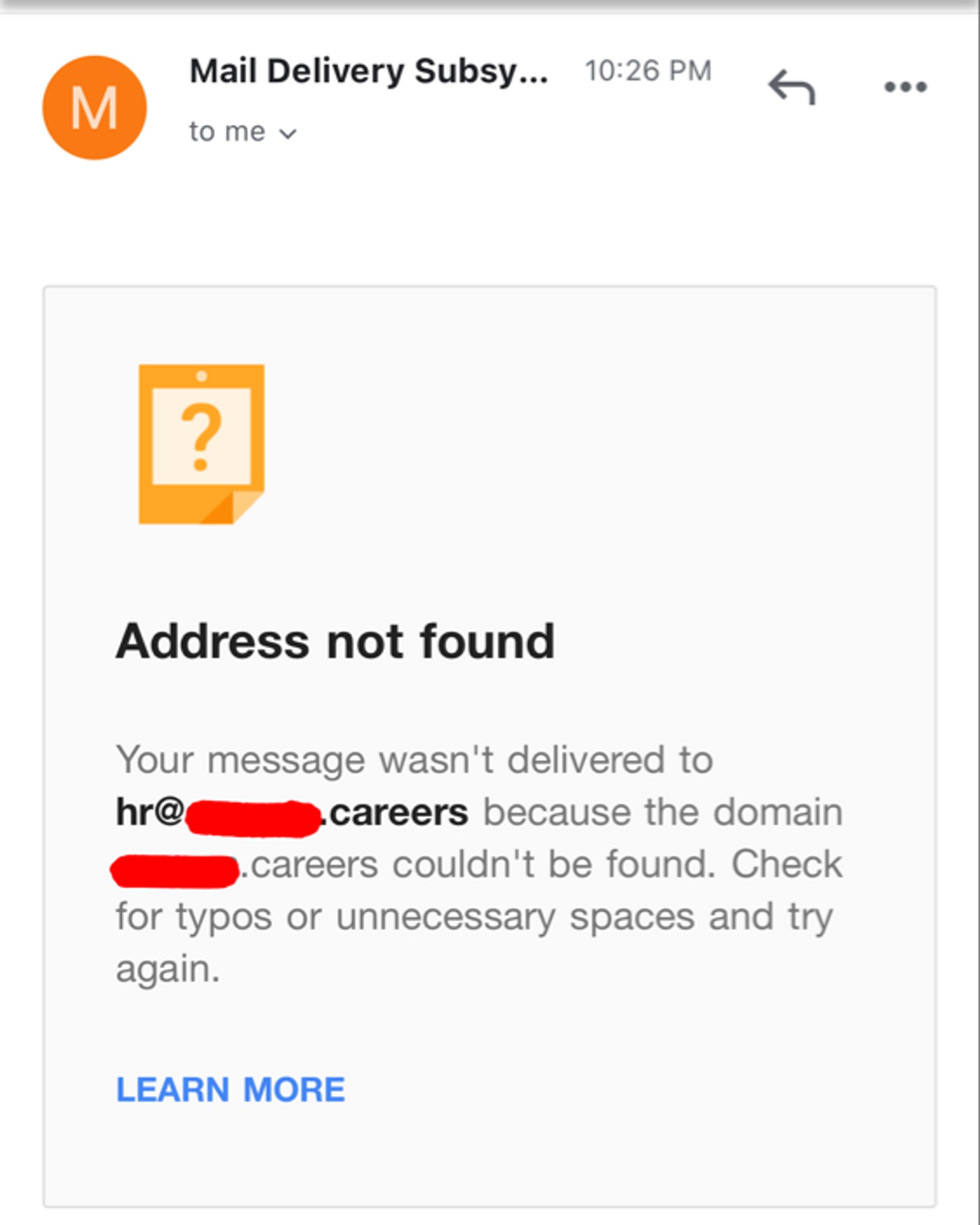
The new company I’m at now sent me an email from an email address that was HR@companyName.careers saying I was accepted for the position. They gave me paperwork to fill out and sign to accept the position
I fill out the paperwork and send it back to them and it goes through… then a few days later I go back to the email to say something else and I get this…?
Then today I got a check from the company In the mail to setup my home office, and it’s signed by someone I’ve never met before or heard of…?
What…..

Hello RSM coworkers! I am thrilled to be moving to RSM into a Scheduler roll. I just found out yesterday and want to be as prepared as possible in the next steps.
So here are my questions.
How long does the background study take? I'm guessing admin staff have a study that is faster and less complicated than someone in Tax ect.
When training at home what did you need that wasn't supplied by RSM? My home office is well stocked but I want to be as prepared as possible.
Thanks in advance!


Rising Star
Forcing me to use my standing desk


Conversation Starter
More Posts
My company, Pegasystems, is agressively hiring for Senior Solutions Consultant (presales) positions nationwide. If you are interested in working for an amazing company with market leading products and a great culture, please message me. Happy to discuss further. Assuming you are reasonably qualified, I can provide a referral as well.
I am looking for a job
Conversation Starter
Additional Posts in The Worklife Bowl



Pro
Does this Friday feel like a Monday to anyone else?
Conversation Starter
Rising Star
New to Fishbowl?
unlock all discussions on Fishbowl.


Go green!!!
Go Blue 〽️💙
Rising Star
Nice table. Barren room. Does the fiancé think they’re a partner? Lol
Chief
Haha my hubby had the same comment. Single large desk in the middle of the room = boss setup.
OMG. Don’t marry this person. Who could tolerate those cords? It’s not too late.
Chief
Lol I think since the house is new it looks like it takes up more space! Maybe when I start getting office stuff it’ll be moved!
Chief
Mount the surge outlet under the desk and then use straps and ties to secure the cords under the desk.
I did this. Used command strips to mount underneath. Drilled hole in desk, wires on desk route to the hole (all in tubing type material) and then plug in
put your desk against the wall
Assert your dominance and put the desk against the wall
Your fiancé is wrong
Rewind to your first mistake.... Michigan State...
Conversation Starter
Try something like "cable organizer box" and "cable organizer sleeve" on Amazon. Or try Velcro ties.
Go Bucks!
Pro
Go bucks!!! 🌰
Not going to eliminate the cables with the setup in the middle of the room, but a few tips to make it look cleaner. 1. Run the cables coming out of the monitors thru the monitor stand, they typically have an opening for the purpose of cable management. 2. Velcro strips that are 1/4” wide can be used to group wires together. I.e the 2/3 coming from the monitor on the right, bunch them together wrap in a Velcro strip (or you can use zip ties or twist ties if you’re trying to do it with things around the house) then add more ties every so many inches so that the group of cables stays in one near bunch. You can then run this bunch into the monitor on the left and run the cord bunch down the left leg of the table. You can also group all the extra slack that normally lands at the bottom around the power strip into the bunch and it’ll be a bit tidier. If you have any small hooks you could pin the bunch of cords under or along the table side to keep them from hanging down. There’s definitely things out there to make this easier, this is my DIY version.
Also get an outlet installed in the floor - not hard to do if you have a basement. Typically these type outlets come with a metal round cover so they are ok if you end up not having furniture in the middle of the floor later
Chief
I have no comments on the cords but I think I have the same screen saver.
Chief
Cable organizer box
Zip ties
Cable management sleeve
I really like this power strip. The cord is retractable so you’ll only have one running across the floor.
https://www.amazon.com/dp/B01FHMPV1S/ref=cm_sw_r_cp_api_i_cRpQEbQJ22MDA
I have the same exact desk and the same exact problem. Good luck my friend.
Pro
A few zip ties to bundle your cords wouldn’t hurt either
Pro
Just position a hub on the desk and conceal it under a overhang or something.
Run the cords under the carpet or get a rug to place atop
Not true
Under desk surge protector, under desk cable holder, zip tie everything and get some monitor mounts.
Chief
Also where is this desk from?
Chief
Thank you! I love it!
WiFi devices
Stick your white extension outlet to the bottom of the desk. Use rubber bands (or cord wrappers if you have them) to “tie” cords from the extension outlet down the closest leg to the floor. Otherwise, maybe negotiate with your partner possibility to move the desk closer to a wall with an outlet? 😅