
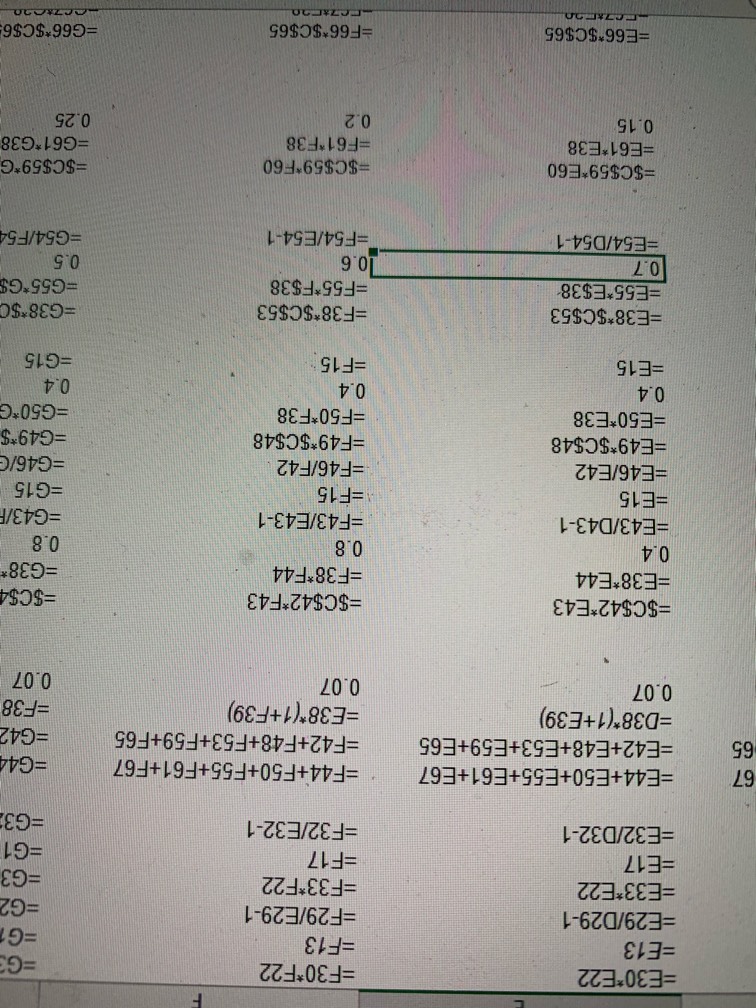
Help! What do I do to get it back to normal?




Pro

Conversation Starter
Conversation Starter
What’s an EVP role at Bain?
Pro
Anyone in Deloitte Healthcare willing to chat?
This site is protected by reCAPTCHA and the Google Privacy Policy and Terms of Service apply.
Download the Fishbowl app to unlock all discussions on Fishbowl.
Copy and paste embed code on your site

Scan your QR code to download
Fishbowl app on your mobile


You should join the excel genius bowl.
This is so cute hahaha
Pro
Wait, is the issue the formulas are showing or that your screen is upside down?
CTRL+Shift+Arrow Keys will rotate your screen. Next time do that first if you are going to take the picture upside down
Can you do a handstand?
Or flip your screen upside down.
If you can’t figure this out quit consulting
Pro
OP bring me with you, I'll teach you how to use sum function and how the $ work in formulas 😁
I'm good at counting (see: acct firm), making sandwiches, and ordering coffee. I'd be a great asset for your firm.
Turn ur monitor upside down
1. Go into your photo album
2. Find the photo and select it
3. Hit the edit button
4. Tap the rotate button twice
5. Hit save
Not that hard
CTRL ~
This is the right answer
What is normal 😂
Haha, not easy these days. Who can tell what is "normal" under this "new normal" circumstances? That pic looks almost normal to me.
Google “show formulas”
https://www.google.com/search?q=excel+show+formulas&ie=UTF-8&oe=UTF-8&hl=en-us&client=safari
U rock
OP are you normal again?
Please!!!!!
The ~/‘ key next to !/1, not the “/‘ key.
Set it to automatically calculate formulas,
Ctrl + ~ will eliminate the formulas, then rotate separately
Is this the “new normal” everyone’s talking about?
Have you tried turning it off and turning it on again?
Turn it around 😂
Go to 'Formulas' tab and click on 'Show Formulas' in 'Formula Auditing' section.
Pic upside down. Pls fix.